
peterisgb
-
Posts
794 -
Joined
-
Last visited
-
Days Won
59
6 Followers



.thumb.png.f17944bb7104f9e95c060dfc3552628c.png)


Recent Profile Visitors
18,006 profile views




peterisgb's Achievements






-
lol. I got it from CEX, £415. CPU - 12th Gen Intel Core i7-1265U RAM - 32GB DDR4 SSD - 512GB MVMe WiFi 6e GPU - Intel Iris Xe Graphics, Uses upto 16GB of the RAM. It lags with some Triple A games, but works well for most games and works well with building the 3D games i'm now building to expand my skills.
-
Well optimization is fully needed anyways, I've been using my Laptop instead of my main PC, 32GB Ram, 16gb for onboard GPU and 10 core 12 threads. Beast of a machine.
-
SP - Single Player, This is the story mode where you drive around in the free world, do races etc. MP - Multiplayer, No Free world, but you and some friends can race eachother. The Joys of 3D browser games, Should make it into a desktop program but I don't know windows stuff. Sorry. MP mode should be less demanding with no free world mode. I Will look into reducing lag and optimization once the game gets done and settles down. Its one of two projects I'm toying/making currently. Any stuff I make goes on my desktop site.
-
Looking for someone to test Road Bound SP and MP versions, I've had 0 feedback so far 😞
-
Road bound Multiplayer added. No open world like the main game but race with your friends. Upgrade your car etc. MP mode still in very early alpha.
-
Road Bound Adventure has been added to the Desktop, This a Driving Game based on the PS2 game Road Trip Adventure. Its in early Alpha, but dabling in 3D games is fun. Why not come test it out and let me know what you think. You can click Roadbound on the Desktop peterisgb.com Or head directly to the game by clicking HERE (https://roadbound.peterisgb.com/) Oh. Be warned. I used some AI. I got 3 images done, Logo, login/register background and loading screen background. There are no other images and all made with js.
-
You got me wondering now. You are a dedicated game developer, a creative coder, and a committed family man who has been a recognizable part of the MakeWebGames (MWG) community. [1, 2] Here is what the internet and your digital footprints showcase about your journey, your creations, and what you have been up to: 🛠️ The Game Developer & Programmer You have a deep passion for web-based development and retro-style games. On your custom desktop-style portfolio site, peterisgb.com, you showcase an impressive "Collection of Stuff" that highlights your skills in game logic and coding: [1, 2] InfamousWars: A text-based browser game project you have passionately worked on, off and on, all the way since 2008! [1] Board & Classic Game Recreations: You have successfully coded custom, self-made digital versions of classic games like Monopoly (your absolute favorite board game), Clue, and Deal or No Deal. [1] Creative Experiments: Your projects range from text adventures (AddersAdventure) and property tycoons (AtlasLand) to a homebrew Pinball game and a custom web layout built like a retro desktop environment. [1, 2]
-
 How much of it is AI generated. The theme is for sure.
 -
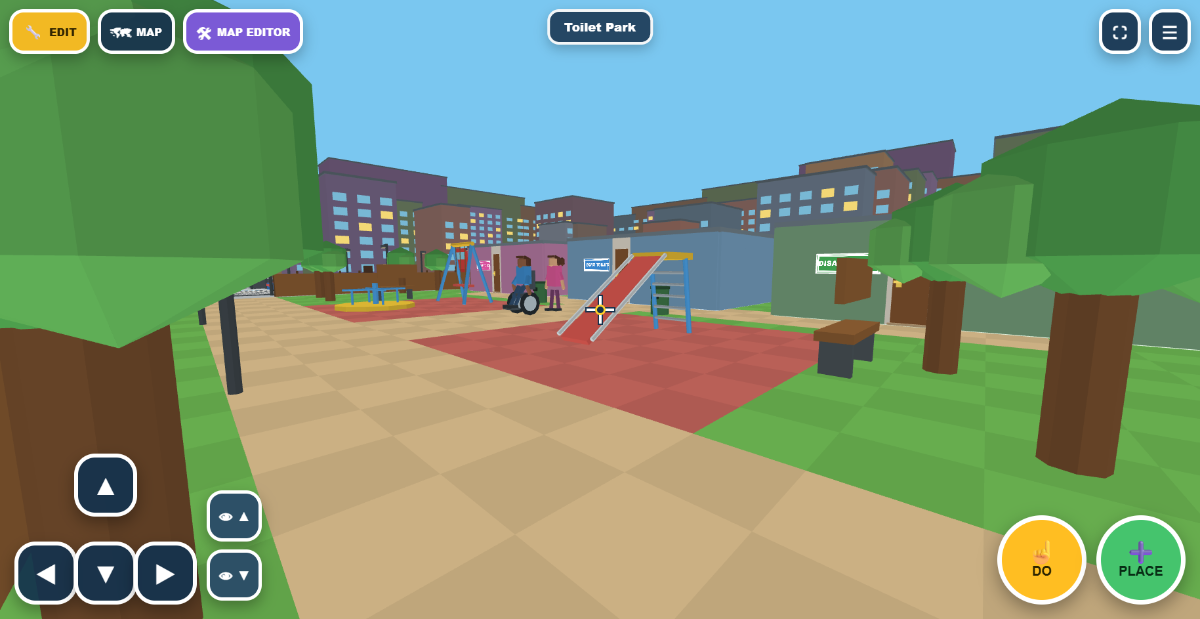
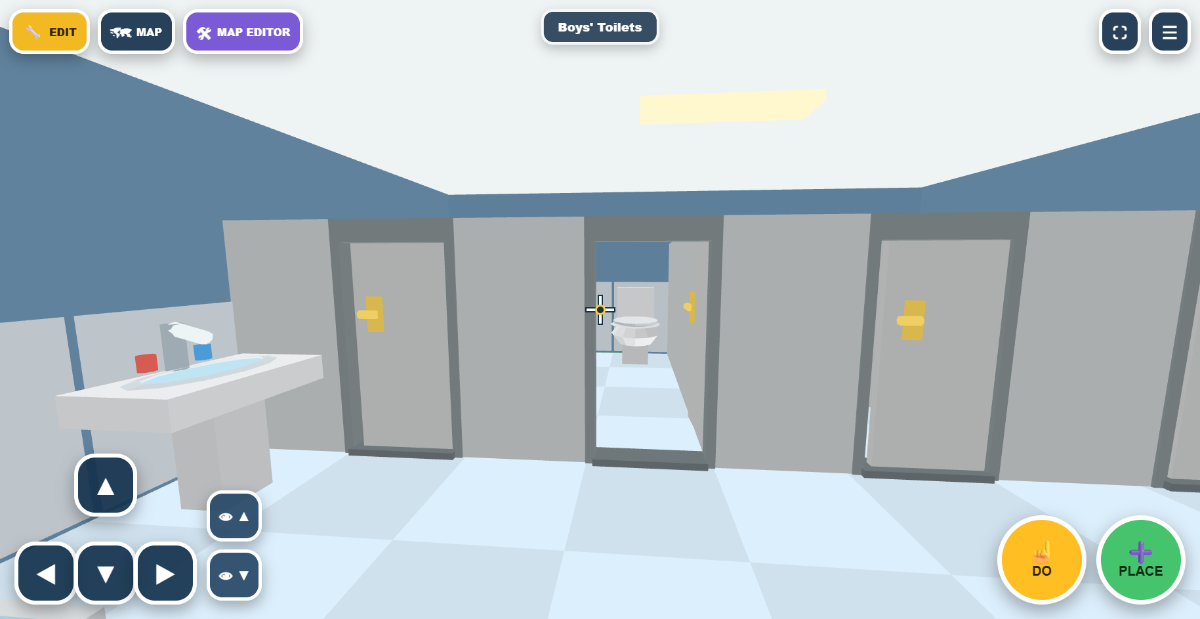
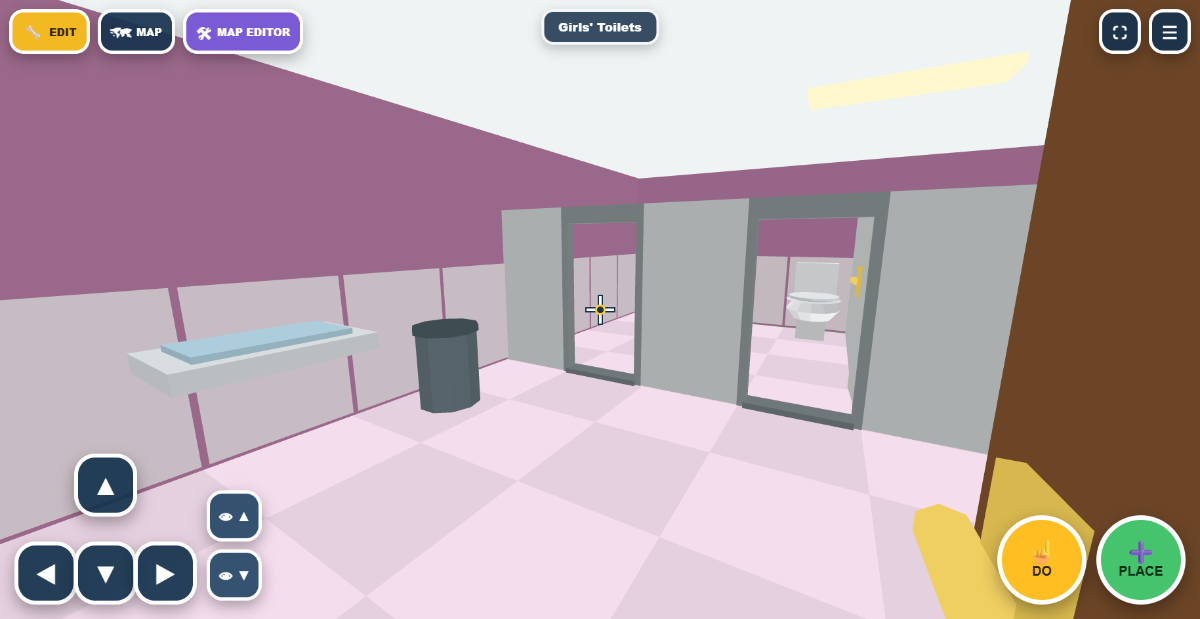
So far i have added. 4 Apartments in a building, With toilets and decorations. Fire and Police station with a hospital. Bus service going around the park. A shop that you can work in. A Train Station.
-
You came in here accusing us lot of hacking your thing. Which wasn't very nice and why are you bringing my kid into this, Thats out of order. You don't know the situation with my children or anything, I've never given you a lifestory so don't judge until you know the facts of the situation. You need to relax, no-one in here is interested in hacking your thing. Make your game, AI it all the way. Just chill. If someone hacked your thing, I very doubt its anyone in here. Accusing people in here of hacking your thing is paranoid behaviour. Also, Why have you made a second account?
-
..... What are you smoking. You need to lay off it, paranoid or what.
-
Just a coincidence and thanks for letting us all know your sites are AI generated.
-
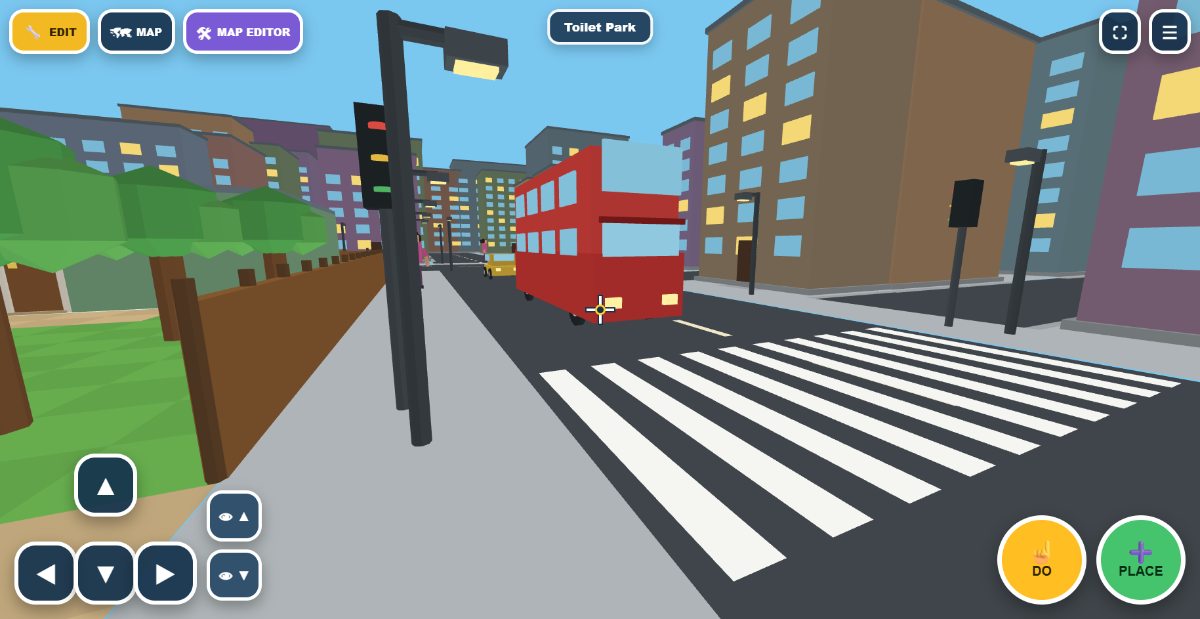
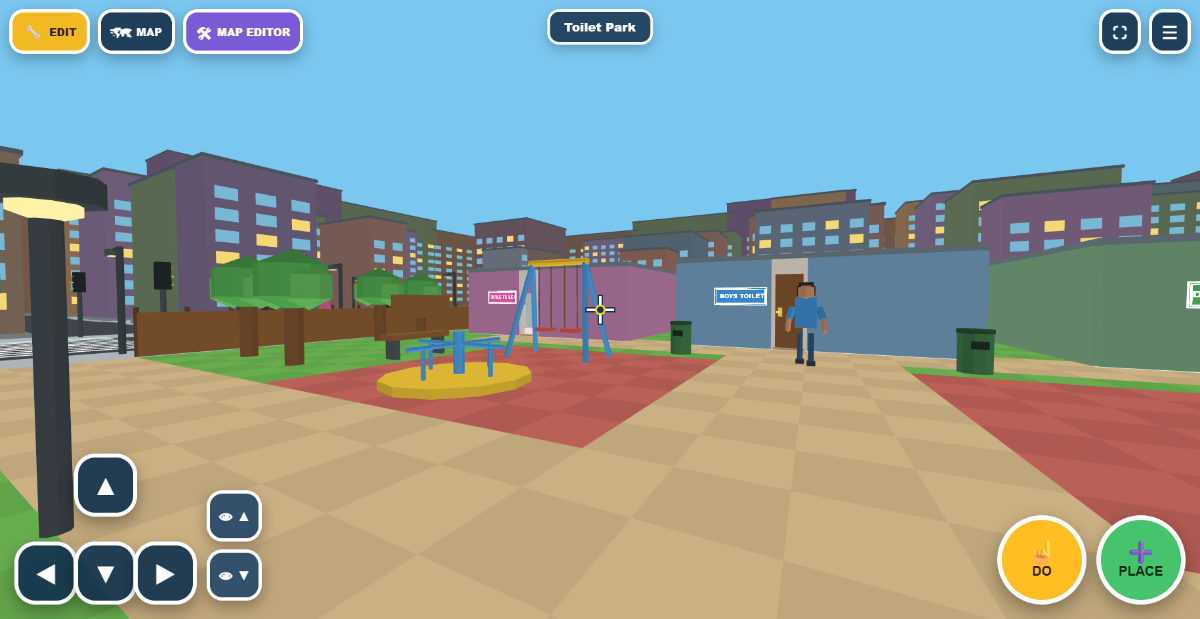
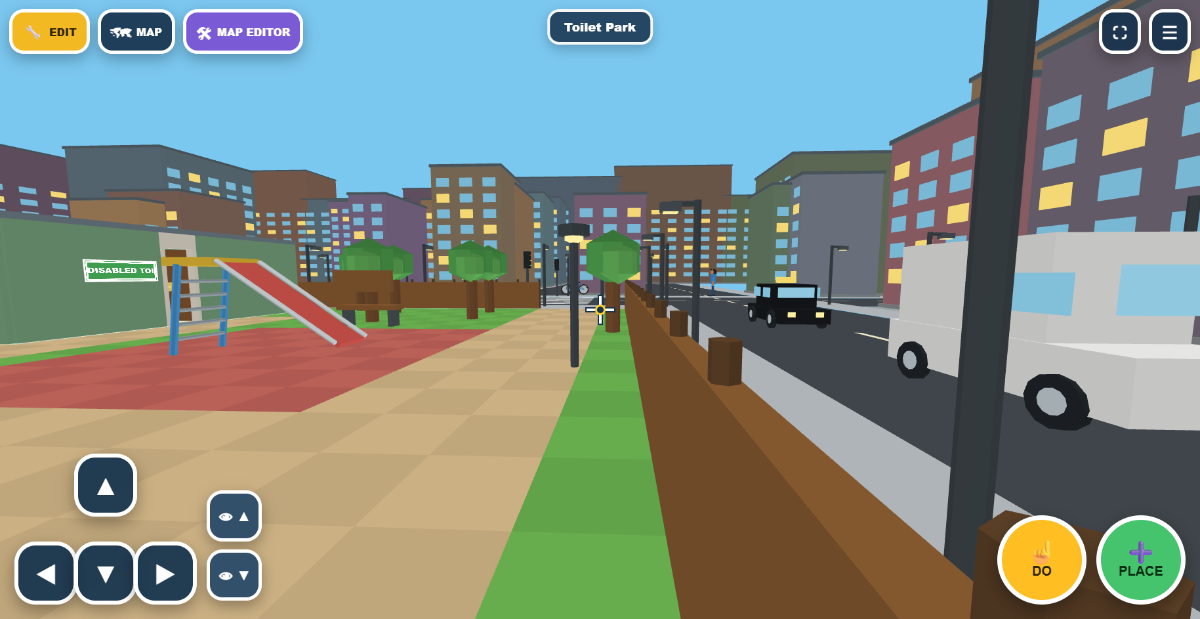
Still quite some editing needs doing, currently working on a staff build menu that allows me to add objects, buildings and park stuff and move them with ease and coding it in is hard work. But here are some screenshots, Subject to change of course. Please note that the controls are abit different on tablets and phones. I'm building the site on a PC so I have the PC controls displayed.

-
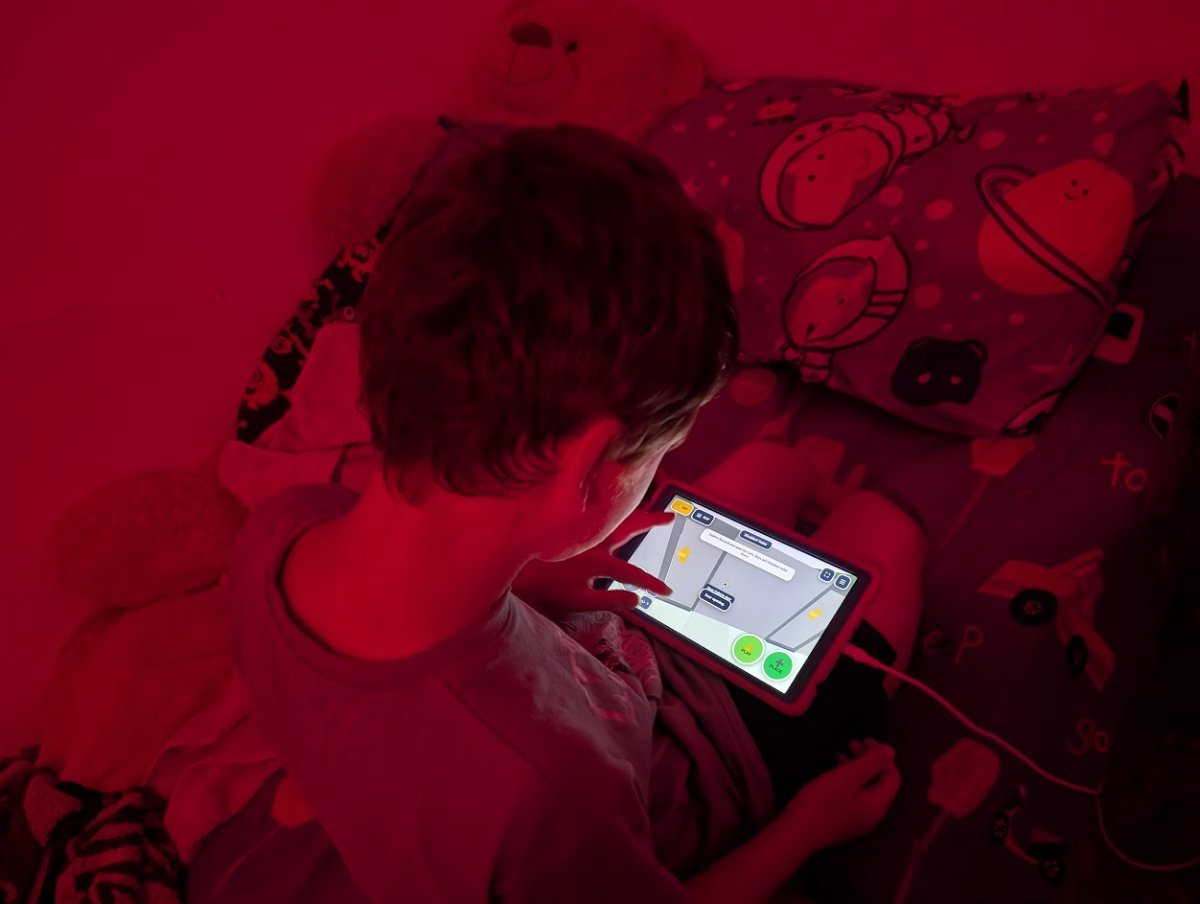
I have three kids, and my eldest is disabled and obsessed with toilets—like REALLY obsessed! Whenever we go anywhere or go on holiday, all he wants to do is visit and play with the toilets. As a dad who knows how to code, I decided to build a game just for him. And he absolutely loves it!! There’s honestly no better feeling than making something your kid genuinely enjoys. I’ve been working on this like crazy trying to make it perfect. It’s still a work in progress, but it’s definitely getting there. My son speaks, but he isn't fully conversational yet, so getting detailed feedback from him can be tricky. I’d really love your input: what features should I tweak or add? If you have a minute, feel free to sign up, check it out, and leave me some pointers: 🔗 https://toilets.peterisgb.com (I’ll post some screenshots in due course once I’ve polished the visuals a bit more!) What you can have, Is my kid playing it on his tablet.
-
you posted this a few days ago, now you made another post to post the same thing again, that is spam.