

Sim
-
Posts
2,392 -
Joined
-
Last visited
-
Days Won
62
Content Type
Profiles
Forums
Events
Posts posted by Sim
-
-
I am looking to purchasing a game or 2. The have could be dead, active, inactive, have players, not have players. Looking for something I can just advertise and code a few features if needed.
-
Maybe instead of gainAbility(Revive)
Ability.gain(Revive)
Same difference, I think it might be easier to load all ability functions that way.
I did something like this many years ago with oRPG Creator. I intended on doing it with gRPG. , But at the time it would have been a complete overhaul of all game features cause of how the hooks where set up.
-
I think I'm interested. :)..
-
For as much coding and mods I released, I don't know how I haven't released a game yet, but it's coming.
-
I'm working on a little project. Anyone interested in making me these pieces?
64x64per block b nice.

-
On 3/21/2023 at 2:41 PM, Dave said:
This post is a few years old now, unsure how active this member is.
Site seems down to.
-
Hey @MitchellI wish to purchase this game. I've reached out to you threw PM, and even in game.
-
;(function() {

 fps = 0
 requestTime = 0
  canvas = document.getElementById('gameCanvas')
  ctx = canvas.getContext('2d')
  gridWidth = 10
  gridHeight = 10
  xOffset = 0
  yOffset = 0
  grid = createGrid(gridWidth, gridHeight)

  initialize()

  window.requestAnimationFrame(gameLoop)
  canvas.addEventListener('click', canvasClick )
  resizeCanvas()

function gameLoop()
{
  //  ctx.clearRect(0,0,gridWidth, gridHeight)
   // ctx.save()

    drawGrid()
    drawPieces()

   // ctx.restore()
    //setTimeout(gameLoop, 1000)
    window.requestAnimationFrame(gameLoop)
}

  function drawPieces()
  {
   for(x = 0; x < gridWidth - 1; x++)
    {
      for(y = 0; y < gridHeight - 1; y++)
      {
        if(grid[x][y] == "X")
        {
          drawX(x, y)
        }
      }
    }
  }

  function drawX(x, y)
  {
    yPOS = y * yOffset
    xPOS = x * xOffset

    ctx.moveTo(xPOS, yPOS)
    ctx.lineTo(xPOS + xOffset, yPOS + yOffset)
    ctx.stroke()

    ctx.moveTo(xPOS + xOffset, yPOS)
    ctx.lineTo(xPOS, yPOS + yOffset)
    ctx.stroke()
  }

  function drawGrid()
  {
    ctx.strokeStyle = 'black'
    ctx.lineWidth = .05

    for(i = 0; i < gridWidth; i++)
    {
      ctx.moveTo(i * xOffset, 0)
      ctx.lineTo(i * xOffset, window.innerHeight)
      ctx.stroke()

      ctx.moveTo(0, i * yOffset)
      ctx.lineTo(window.innerWidth, i * yOffset)
      ctx.stroke()
    }

  }

function checkDiagnolBackwards(rows, columns, piece, gWidth, gHeight, count)
  {

  }

  function checkDiagnolForward(rows, columns, piece, gWidth, gHeight, count)
  {

  }

  function checkColumns(rows, columns, piece, gWidth, gHeight, count)
  {

  }

  function checkRows(rows, columns, piece, gWidth, gHeight, count)
  {

  }

  function createGrid(gWidth, gHeight)
  {
    g = new Array()
    for(i = 0; i < gWidth; i++)
    {
      g[i] = new Array(gHeight).fill(3)
    }

    return g
  }

  function initialize()
  {
    resizeCanvas()

  }


  function redrawBoarder()
  {
    ctx.strokeStyle = 'blue'
    ctx.lineWidth = '5'
    ctx.strokeRect(0, 0, window.innerWidth, window.innerHeight)
  }


  function resizeCanvas()
  {
    canvas.width = window.innerWidth
    canvas.height = window.innerHeight
    xOffset = window.innerWidth / gridWidth
    yOffset = window.innerHeight / gridHeight
    //redrawBoarder();
  }


  function canvasClick(e)
  {

    xClick = Math.ceil(e.pageX / xOffset)
    yClick = Math.ceil(e.pageY / yOffset)
    grid[xClick-1][yClick-1] = "X"

  }

})();
I found my problem. I was running to manyy calculations that wasn't needed at the time. That's from taking a break does to people after awhile.
-
I'm looking to gain some experience with some Google maps API.
Some of the things I would like to do is allow people to change street names, business names, and profiles of users who changed/owns what.
I am intending on allow players to battle real world Cities similar to how most of these TBG are played.
-
;(function() {

 fps = 0
 requestTime = 0
  canvas = document.getElementById('gameCanvas')
  ctx = canvas.getContext('2d')
  gridWidth = 10
  gridHeight = 10
  xOffset = 0
  yOffset = 0
  grid = createGrid(gridWidth, gridHeight)


  initialize()

  window.addEventListener('resize', resizeCanvas)
    canvas.addEventListener('click', canvasClick )
    window.requestAnimationFrame(gameLoop)
    gameLoop()
  //gameLoop()

function gameLoop() {
    drawGrid()
    //setTimeout(gameLoop, 1000)
    window.requestAnimationFrame(gameLoop)
}


  function drawX()
  {
    for(x = 0; x < gridWidth - 1; x++)
    {
      for(y = 0; y < gridHeight; y++)
      {
        if(grid[x][y] == "X")
        {

          xOffset = window.innerWidth / gridWidth
          xPOS = x * xOffset

          yOffset = window.innerHeight / gridHeight
          yPOS = y * yOffset

          ctx.moveTo(xPOS, yPOS)
          ctx.moveTo(xPOS + xOffset, yPOS + yOffset)

          ctx.moveTo(xPOS + xPOS, yPOS)
          ctx.moveTo(xPOS, yPOS + yOffset)
          ctx.stroke()

        }
      }
    }
  }

  function drawGrid()
  {
    ctx.save()
    ctx.strokeStyle = 'black'
    ctx.lineWidth = .05

    for(x = 1; x < gridWidth; x++)
    {
      for(y = 1; y < gridHeight; y++)
      {
        ctx.moveTo(x * xOffset, 0)
        ctx.lineTo(x * xOffset, window.innerHeight)
        ctx.stroke()

        ctx.moveTo(0, y * yOffset)
        ctx.lineTo(window.innerWidth, y * yOffset)
        ctx.stroke()

        if(grid[x-1][y-1] == "X")
        {
          ctx.strokeStyle = 'blue'
          ctx.lineWidth = .75
          //alert(grid[x-1][y-1] + x + ';' + y)

          xPOS = (x -1) * xOffset
          yPOS = (y - 1) * yOffset

          ctx.moveTo(xPOS, yPOS)
          ctx.lineTo(xPOS + xOffset, yPOS + yOffset)
          ctx.stroke()

          ctx.moveTo(xPOS + xOffset, yPOS)
          ctx.lineTo(xPOS, yPOS + yOffset)
          ctx.stroke()

          ctx.strokeStyle = 'black'
          ctx.lineWidth = .05

        }

      }
    }
   ctx.restore()

  }

function checkDiagnolBackwards(rows, columns, piece, gWidth, gHeight, count)
  {

  }

  function checkDiagnolForward(rows, columns, piece, gWidth, gHeight, count)
  {

  }

  function checkColumns(rows, columns, piece, gWidth, gHeight, count)
  {

  }

  function checkRows(rows, columns, piece, gWidth, gHeight, count)
  {

  }

  function createGrid(gWidth, gHeight)
  {
    g = new Array()
    for(i = 0; i < gWidth; i++)
    {
      g[i] = new Array(gHeight).fill(3)
    }

    return g
  }

  function initialize() {
    resizeCanvas()

  }


  function redrawBoarder() {
    ctx.strokeStyle = 'blue'
    ctx.lineWidth = '5'
    ctx.strokeRect(0, 0, window.innerWidth, window.innerHeight)
  }


  function resizeCanvas() {
    canvas.width = window.innerWidth
    canvas.height = window.innerHeight
    xOffset = window.innerWidth / gridWidth
    yOffset = window.innerHeight / gridHeight
    //redrawBoarder();
  }


  function canvasClick(e)
  {

    xClick = window.innerWidth / gridWidth
    xClick = Math.ceil(e.pageX / xClick)

    yClick = window.innerHeight / gridHeight
    yClick = Math.ceil(e.pageY / yClick)
    grid[xClick-1][yClick-1] = "X"

  }

})();
So I been playing around with a little JS project just took get my mind back into full coding mind.
The problem is, my game loop is ruining extremity slow. Ex: when a grid is CLICKED it takes second to draw the new X. Does anyone have any ideas?
-
2 hours ago, SRB said:
I'd personally suggest anger management first. Laptop first results in broken laptop when his fiancee suggests it's not a laptop.
Good thing I ain't have no fluids in my mouth, I would have a second broken phone from water damage.
-
Let's discuss programming issues .
Here's my latest. After 15-20 hours of coding, I cracked the screen on my phone. My fiancee told me the phone wasn't broke. So I slammed it on the ground shattering the phone into a thousand pieces. Later that evening I realized I had my latest code on there and I am unable to retrieve it. EPIC FAIL 101
-
 1
1
-
 1
1
-
-
23 hours ago, SRB said:
... and where have you been, Mr. Sim?
Read my introduction post from over a year ago that talks about my struggle with addiction?
23 hours ago, SRB said:... and where have you been, Mr. Sim?
Read my introduction post from over a year ago that talks about my struggle with addiction?
-
If still looking to pay someone to finish game, I have the entire month of March free.
-
I'm 5-6hours late... 😞
-
-
@BlindersCity needs to use period.
@SRB my thoughts. I believe in a ride of reincarnation similar to what you said. I think we are reincarnated in some plain like ghost can't be seen buy love among us.
-
My biggest issue is taken care of. Implementing canvas into GL. 🙂
-
1
-
-
Great minds think alike. I just released a mod that limits with modules can be accessed via rank.
I also been trying find a good crypto API for a crypto stock but tigers no longer needed since you already have plans.
-
PERIODS are your friend SIR!! Not your enemy! Professionalism outside your code is mandatory if you plan on pursuing a future in it young Jedi!
-
I use ACode as my IDE (code editor)
I use FTPCafe
Both can be downloaded from play store.
Acode also has built in browser. Helps debug my JS. Since google Chrome on browser unable to show JS errors(that I know of)
-
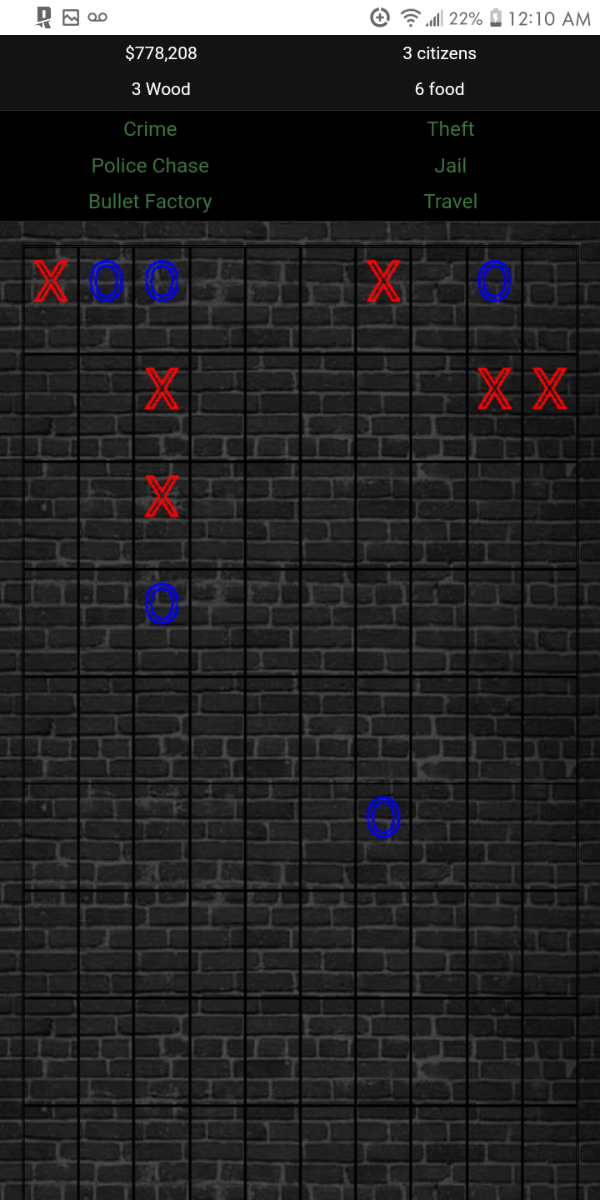
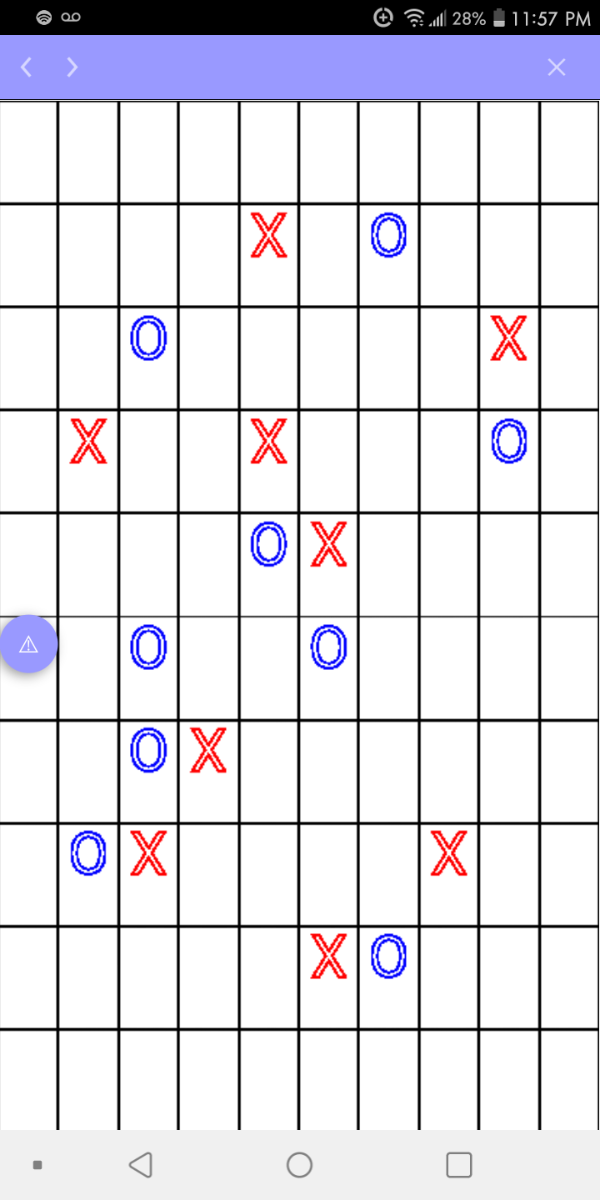
Out of bordem I am starting a series of mini games I talked about making many months ago. The 1st will be a 10x10 grid of tic tac toe. Screen shot of game itself after a few hr coding.
ToDo:
Add logic to detrmine winner
Implement it into GL(jQuery/Ajaxify)

-
-
Each mod own folder simplifys things for starters...?
MWG Acquired by FoohonPie (PBBG.com)
in News and Announcements
Posted
Wow. I been assuming along time as well. ~16years myself.